|
|
|
|
|
Fast
Folder Access 1.8.3 |
|
Platform: Windows
9x/Me/NT/2000/XP/2003/Vista Price: 19.95 US Dollars
Download Site1
Download Site2 Download Site3 |
|

|
-
Fast access to folders
in Open/Save dialogs.
-
Fast access to
folders in Windows Explorer.
-
Fast access to
folders on the desktop and the Start button.
-
Easy to add folder to the list of "Fast Folders".
-
Right-click on an
image file in Windows Explorer to preview image and image file
information.
-
Add any file as shortcut to Quick
Launch or create new folder to manage.
-
Runs automatically as
part of the Windows Explorer context menu.
Click
here for preview |
|
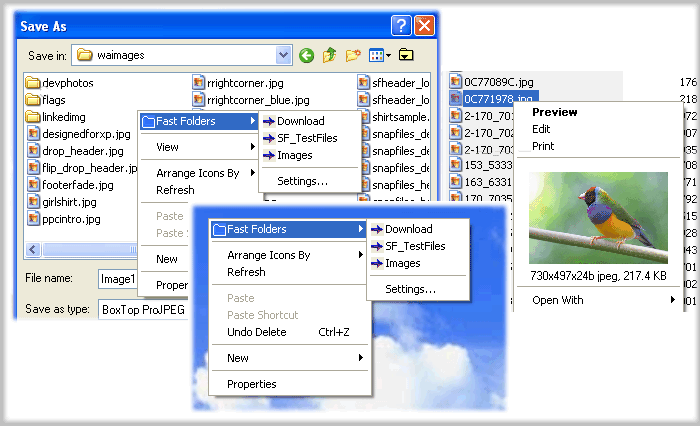
You can quick access the
"Fast Folders" menu by right-clicking in the common Open/Save dialogs.

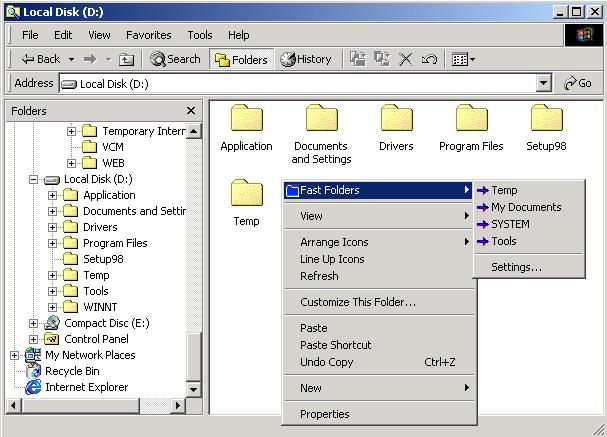
You can quick access the "Fast Folders"
menu by right-clicking in the File, Directory, Directory Background (right panel)
of Windows Explorer.

You can quick access the
"Fast Folders" menu by right-clicking on the desktop and the Start
Button.

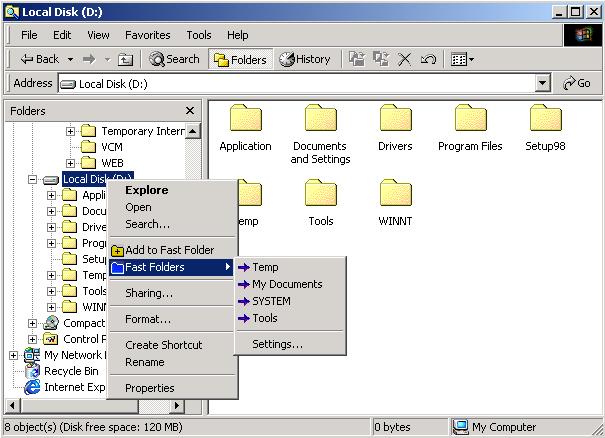
You can add or edit fast folders at Fast Folder Access or
a right-click context menu for
common folders called "Add to Fast Folder" in Windows
Explorer.

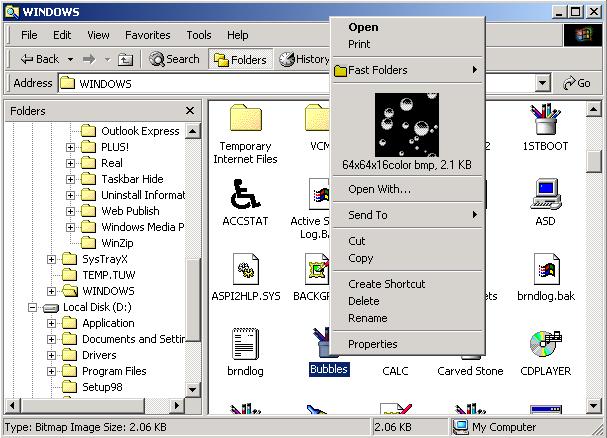
Once you have opened Explorer
simply alternate mouse click on an image file in the display
area, the preview picture will be shown directly in the context
menu with
width x
height x
colors & image type information about the file.

Fast Folder Access runs
automatically as part of the Windows Explorer context menu, so
you will never need to start the program otherwise you want to
edit the list of folders.
|
|
|
|
|
|
Prominent of
the Day
at

Fast Folder Access is the fastest way you can access your files
in the Windows Explorer.
The program can function completely and
accurately without even being run each time. It can operate as
the part of your context menu in your Windows Explorer. All you
need to do is to right-click on your Explorer and the Fast
Folder option is displayed. You can add all the files and
folders you need to access to this list and they are available
to you instantly. You can access all folders in open/save dialog
boxes as well as Windows Explorer with ease. You can also use it
to view the details about an image file as well as preview it by
right-clicking it in the Explorer Window. Files on the desktop
and on the Start button can also be included in the list of fast
access folders.
It obviously will prove itself to be the fastest
way to access your data without ever needing to remember long
paths and addresses of your data files.
|
|
|
|
OR

|
|
All upgrades are free
to registered Fast Folder Access users. |
|
Our other products: free mp3 converter -
Rip CD to Wav, Mp3, Ogg, Wma files freeware.
Free
Internet Window Washer - A free internet tracks
eraser and privacy cleaner software.
Eusing Free Registry Cleaner - A free registry
cleaner to safely scan and fix registry problems.
Free IP Scanner -
A very fast IP scanner and port scanner.
Taskbar Hide - Hide windows program software. |

|